Skip to content
  • LocationSan Pedro, Laguna, Philippines
  • Office hoursMon–Fri, 8:00 AM – 5:00 PM PHT (UTC+8)

Sysgage Commerce

A complete online store for WordPress: products, cart, checkout, subscriptions, orders and reports.

Version 1.1.3Updated November 27, 2026

Version 1.1.3. Requires WordPress 6.4+ and PHP 7.4+.

Sysgage Commerce turns a WordPress site into a complete online store. It is built for stores in the Philippines and works anywhere:

  • physical, digital, variable, grouped and external products
  • an AJAX cart and a one-page checkout
  • orders you can create, edit and refund from the dashboard
  • coupons
  • taxes (including Philippine 12% VAT, prices shown with or without tax)
  • shipping zones with flat rate, free shipping and local pickup
  • secure, time-limited downloads for digital products
  • subscriptions and recurring invoices for hosting, maintenance and other services, including custom plans for existing clients
  • branded emails
  • reports
  • CSV import and export

Payments go through PayMongo (cards, GCash, Maya, GrabPay, QR Ph, ShopeePay, online banking and BillEase), Stripe and PayPal. Offline methods are bank transfer, cash on delivery and check. Refunds for PayMongo, Stripe and PayPal can be sent from the order screen. Refunds made in the provider's own dashboard are copied back to the order automatically.

This guide is for buyers comparing features and for developers building on the plugin. The day-to-day "how do I" guide for store owners is User guide.
Screenshots

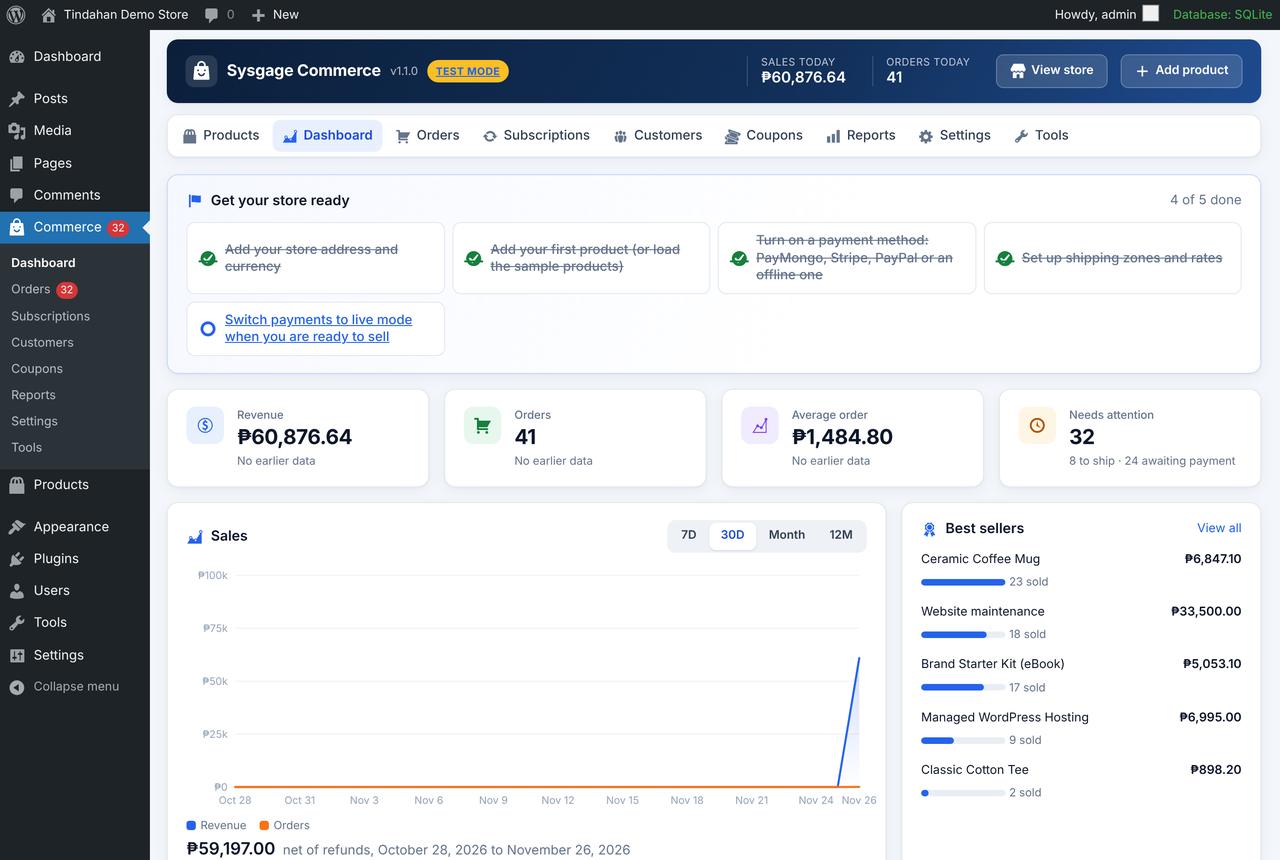
Sysgage Commerce: Store dashboard
Store dashboard
Sysgage Commerce: Shop page
Shop page
Sysgage Commerce: Subscription product page
Subscription product page
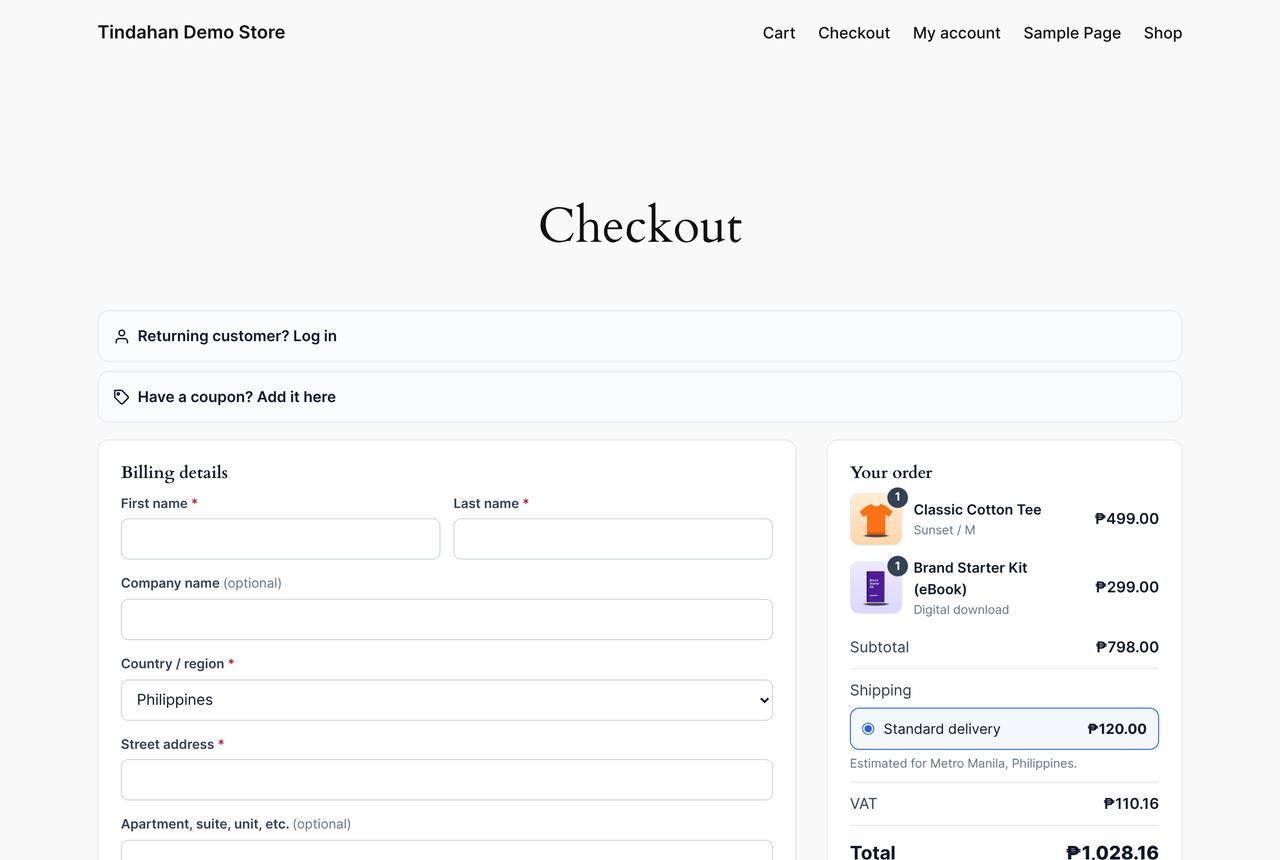
Sysgage Commerce: Checkout
Checkout
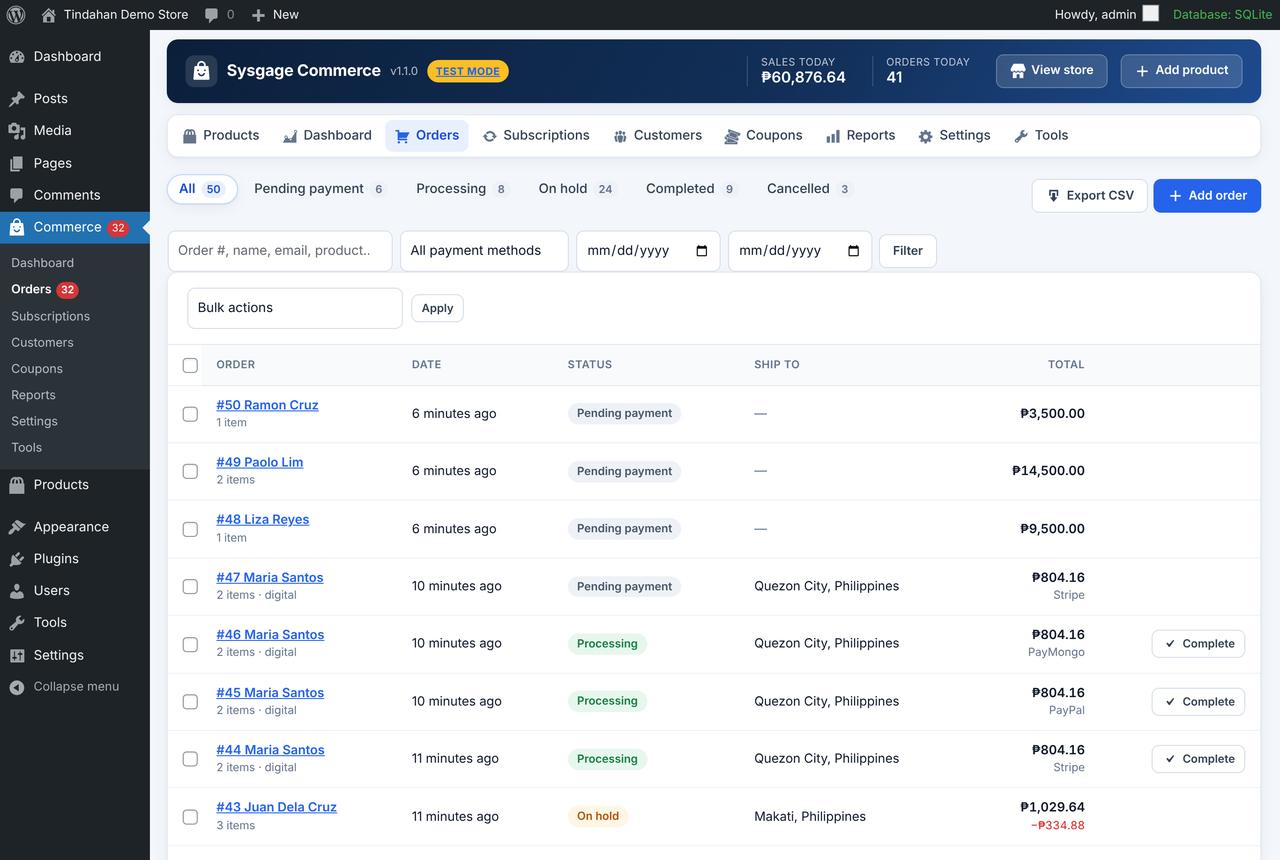
Sysgage Commerce: Orders
Orders
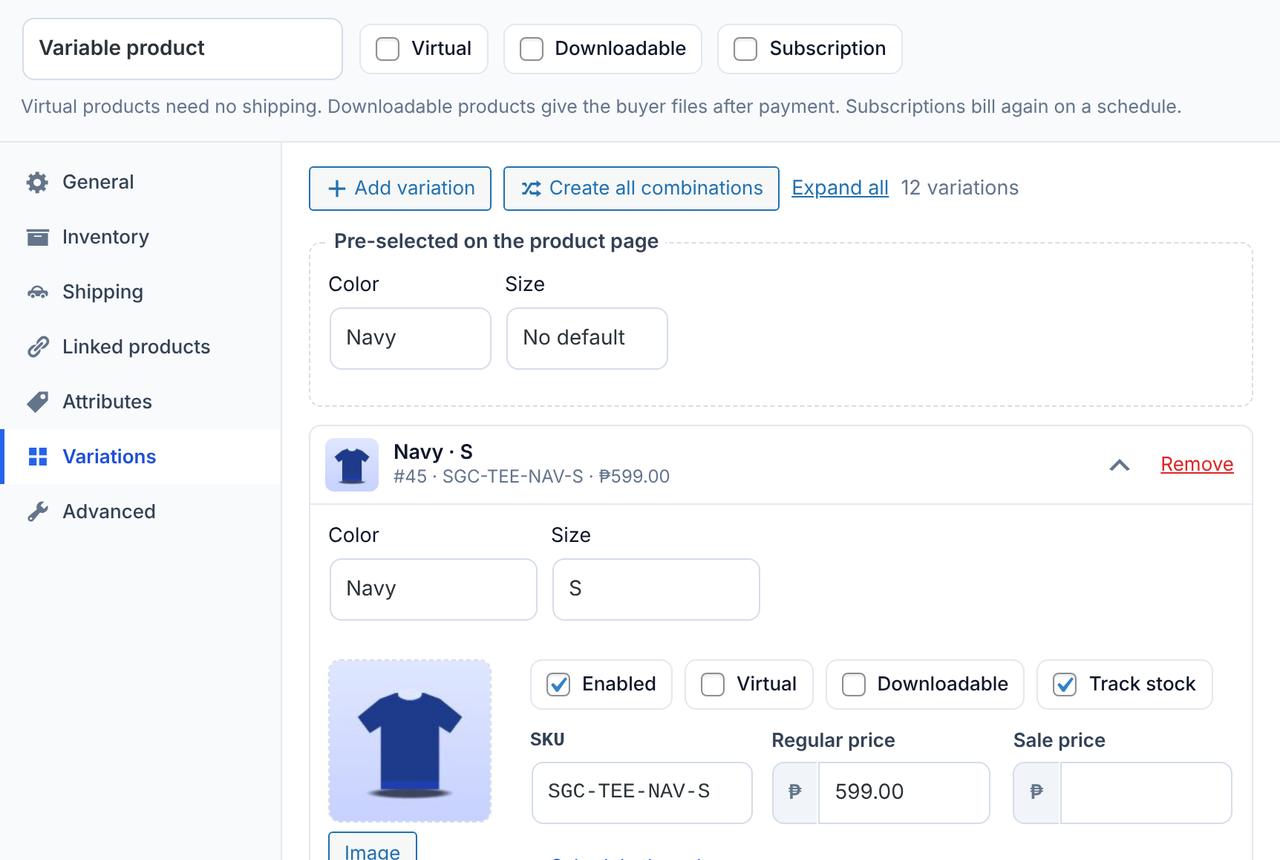
Sysgage Commerce: Product variations
Product variations
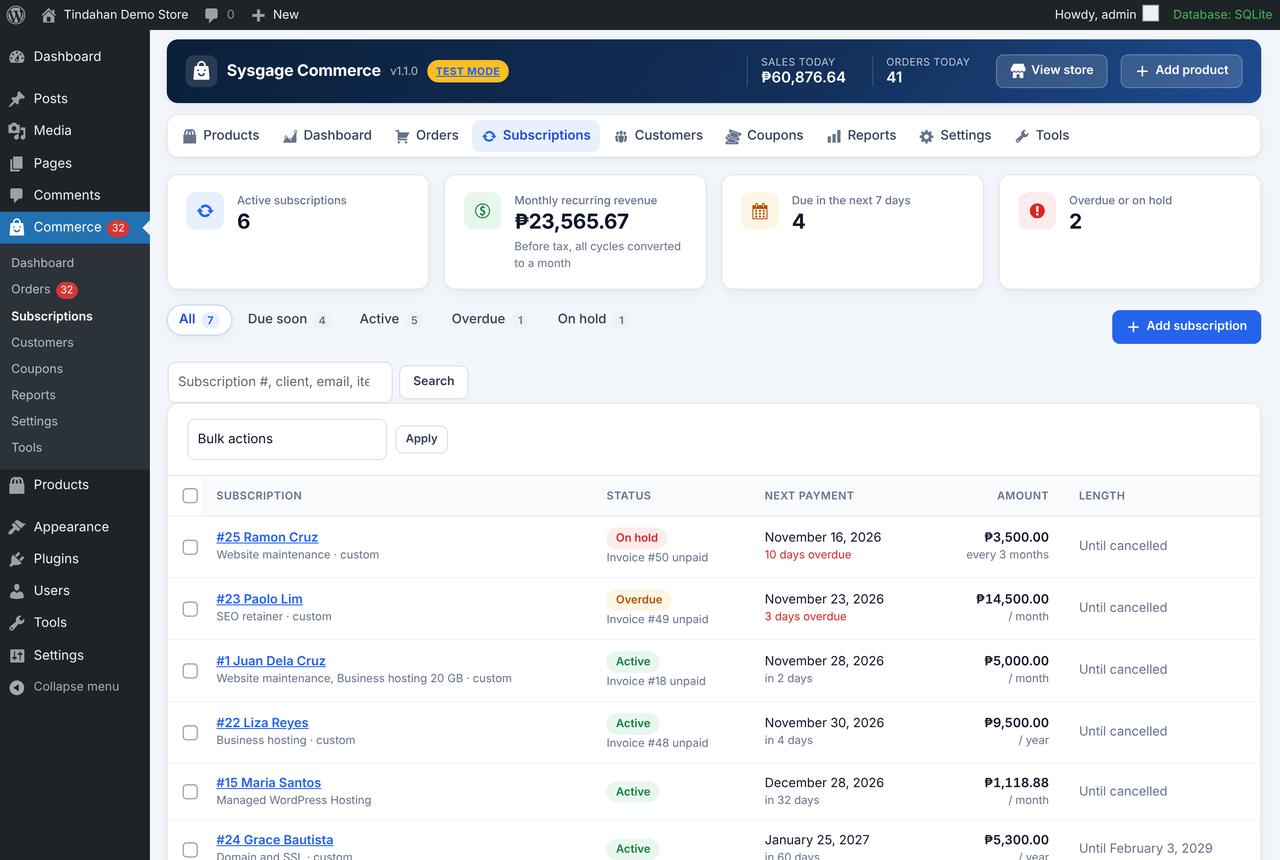
Sysgage Commerce: Subscriptions
Subscriptions
Sysgage Commerce: Reports
Reports

User guide

  1. Features Everything Sysgage Commerce does, feature by feature.
  2. Install and first steps Version 1.1.3
  3. Store settings Go to Commerce → Settings → General.
  4. Add products Go to Products → Add new.
  5. Sell digital products Only after payment is confirmed:
  6. Subscriptions and client billing Use subscriptions for anything you bill again and again: hosting, website maintenance, support retainers, SEO packages, memberships. Sysgage Commerce emails your client an invoice with a Pay now…
  7. Set up shipping Go to Commerce → Settings → Shipping.
  8. Set up taxes (VAT) Go to Commerce → Settings → Tax.
  9. Set up payments Go to Commerce → Settings → Payments. Keep Test mode on while you set up.
  10. Emails Go to Commerce → Settings → Emails.
  11. Coupons Go to Commerce → Coupons → Add coupon.
  12. Manage orders Go to Commerce → Orders.
  13. Refunds Refunds made directly in the PayMongo, Stripe or PayPal dashboard also appear on the order automatically.
  14. Customers Commerce → Customers lists everyone who has ordered, including guests, with their order count and total spent. Click a customer to see their orders, addresses and downloads.
  15. Reports Go to Commerce → Reports and choose a date range.
  16. Import and export Go to Commerce → Tools → Import & export.
  17. Put the store on your site The plugin's Shop, Cart, Checkout and My account pages work straight away. If you build these pages yourself, use [sysgage_shop], [sysgage_cart], [sysgage_commerce_checkout] and [sysgage_commerce_account], then choose the pages…
  18. Staff accounts Create a user with the Shop manager role for staff who run the store. They can manage products, orders, subscriptions, coupons, customers and reports, plus posts and pages,…
  19. Going live
  20. Troubleshooting An online payment was made but the order is still Pending payment. The webhook probably is not reaching your site. Open Tools → Webhook events to see what…
  21. Changelog What changed in each version of Sysgage Commerce.