Skip to content
  • LocationSan Pedro, Laguna, Philippines
  • Office hoursMon–Fri, 8:00 AM – 5:00 PM PHT (UTC+8)

Sysgage Security

Malware scanning with one-click fixes, login protection, brute-force blocking, recovery tools and a full activity log for WordPress.

Version 1.1.2Updated November 27, 2026

Version 1.1.2. Requires WordPress 6.2+ and PHP 7.4+.

Sysgage Security is an all-in-one security plugin for WordPress. It covers:

  • brute-force protection with real account locking and an automatic password reset email
  • a full activity log (audit trail) with a searchable log viewer
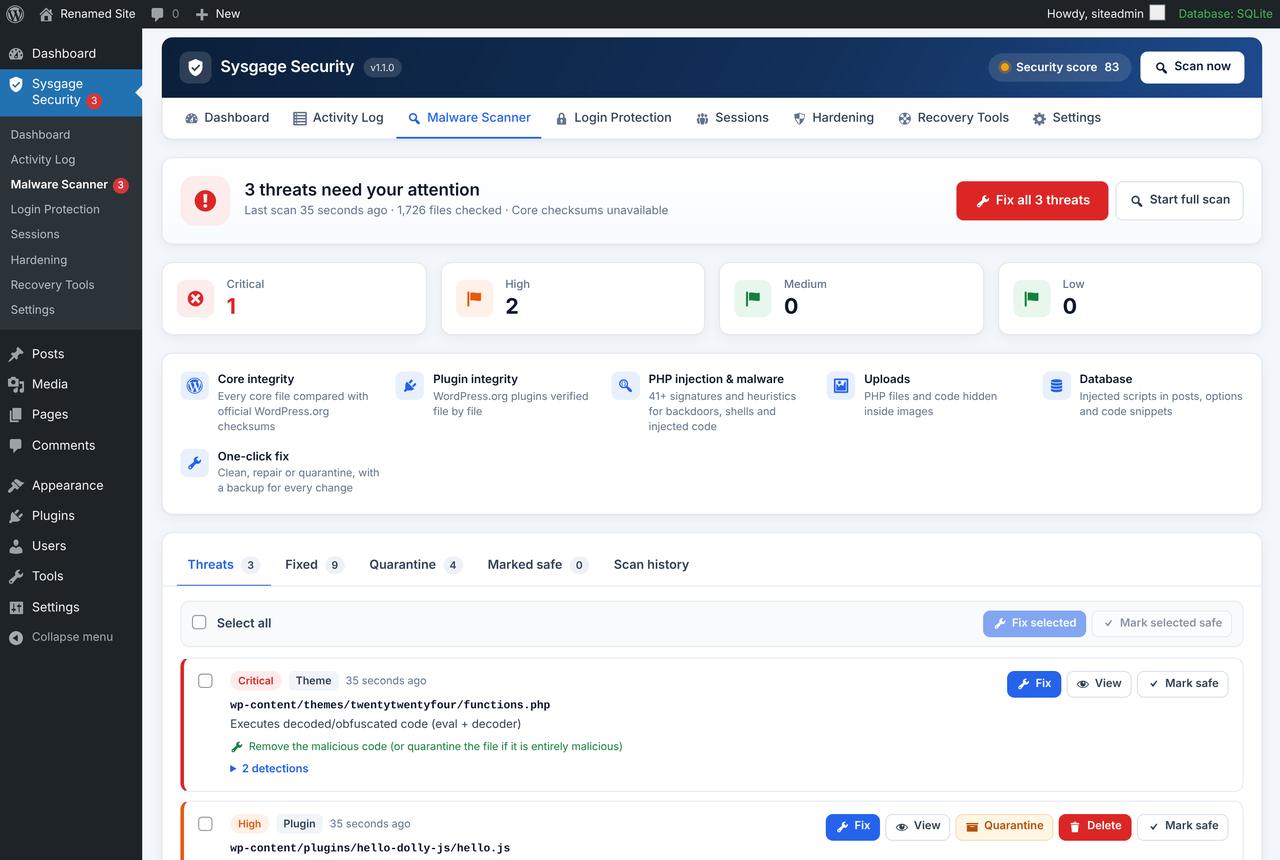
  • a malware scanner that checks WordPress core, plugins, themes, uploads and the database
  • one-click fixes that clean infected files and database entries, with backups and Undo
  • recovery tools for the hours after a hack
  • hardening with a security score and one-click fixes
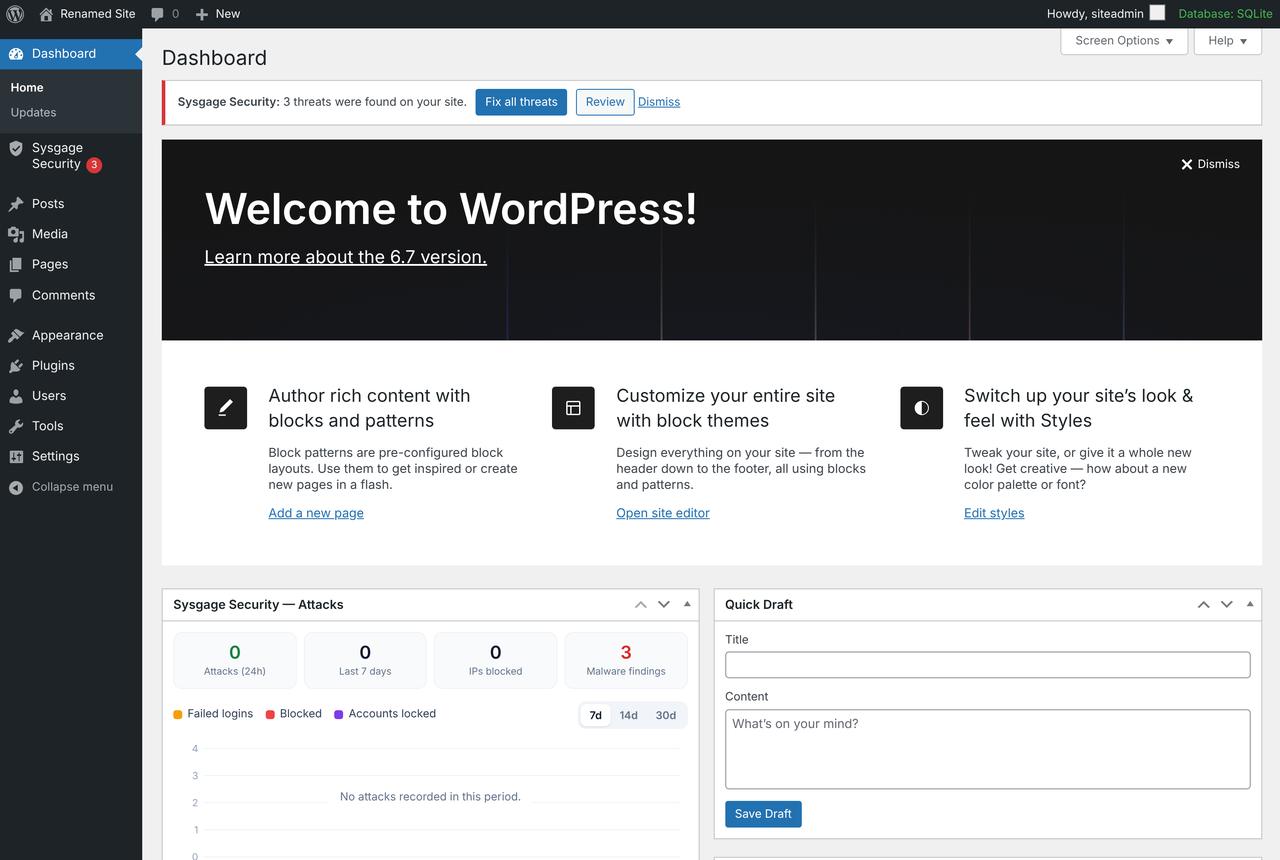
  • an attack graph on its dashboard and on the WordPress Dashboard
  • email alerts and WP-CLI commands

This guide is for buyers comparing features and for developers building on the plugin. The step-by-step guide for site owners is User guide. Version history is in Changelog.

Screenshots

Sysgage Security: Security dashboard with the attack graph and security score
Security dashboard with the attack graph and security score
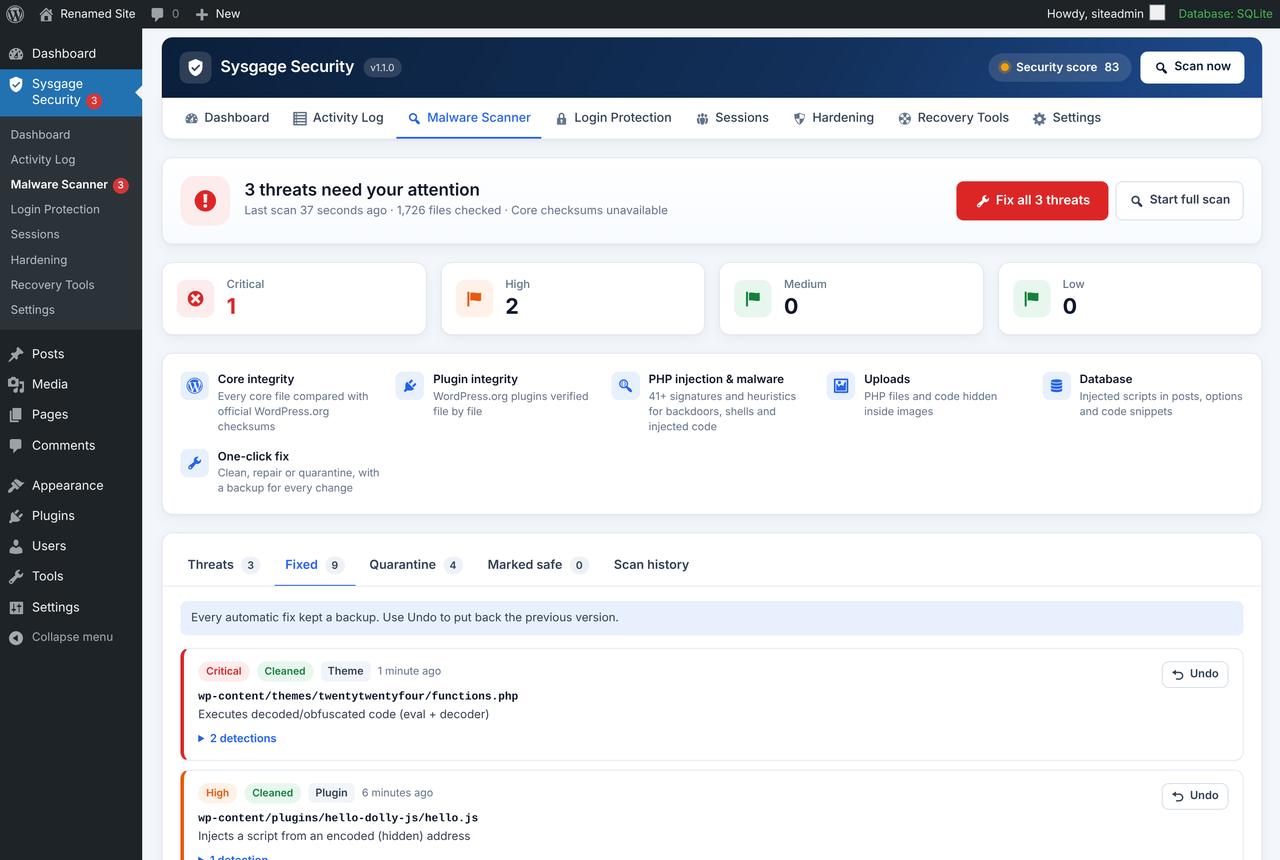
Sysgage Security: Malware scan results with one-click Fix all
Malware scan results with one-click Fix all
Sysgage Security: Every fix is backed up and can be undone
Every fix is backed up and can be undone
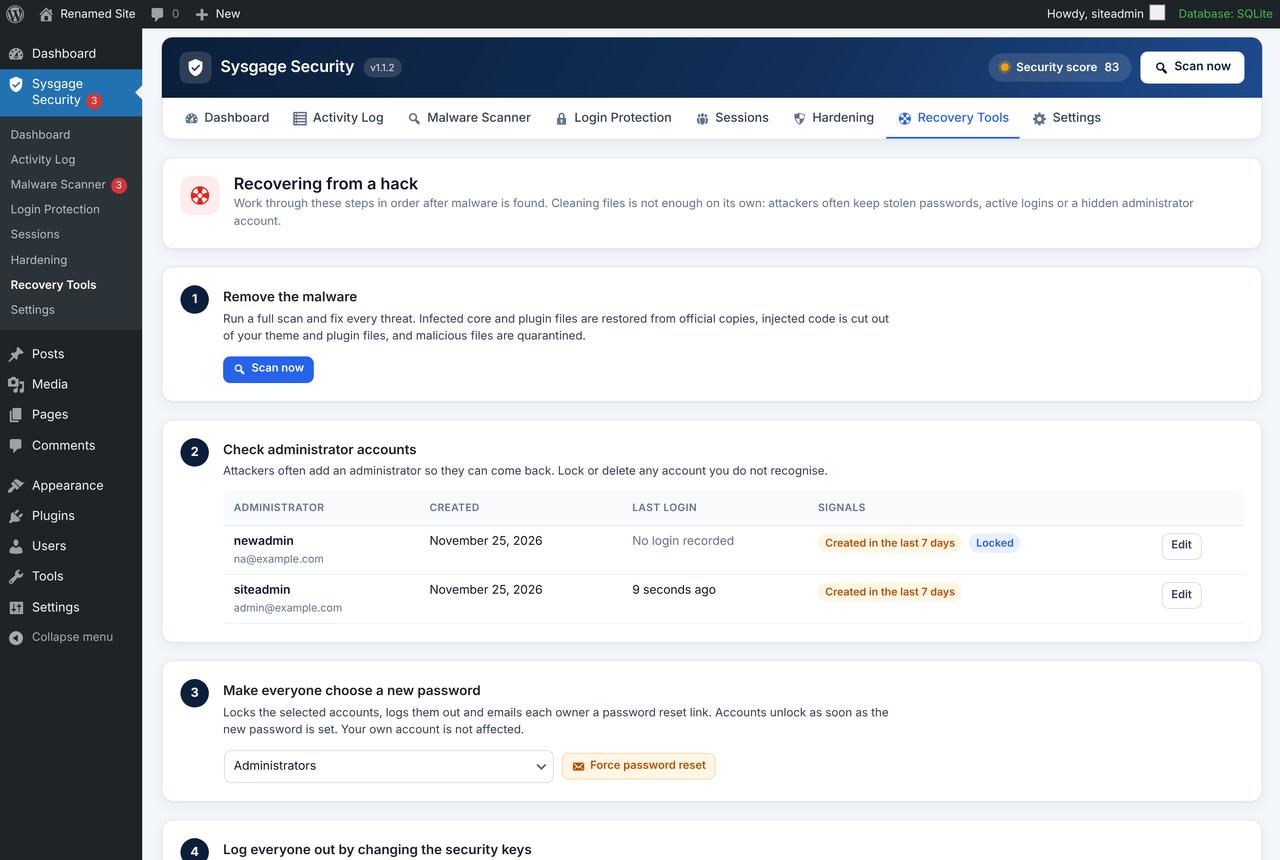
Sysgage Security: Recovery Tools for the hours after a hack
Recovery Tools for the hours after a hack
Sysgage Security: Login protection and brute-force blocking
Login protection and brute-force blocking
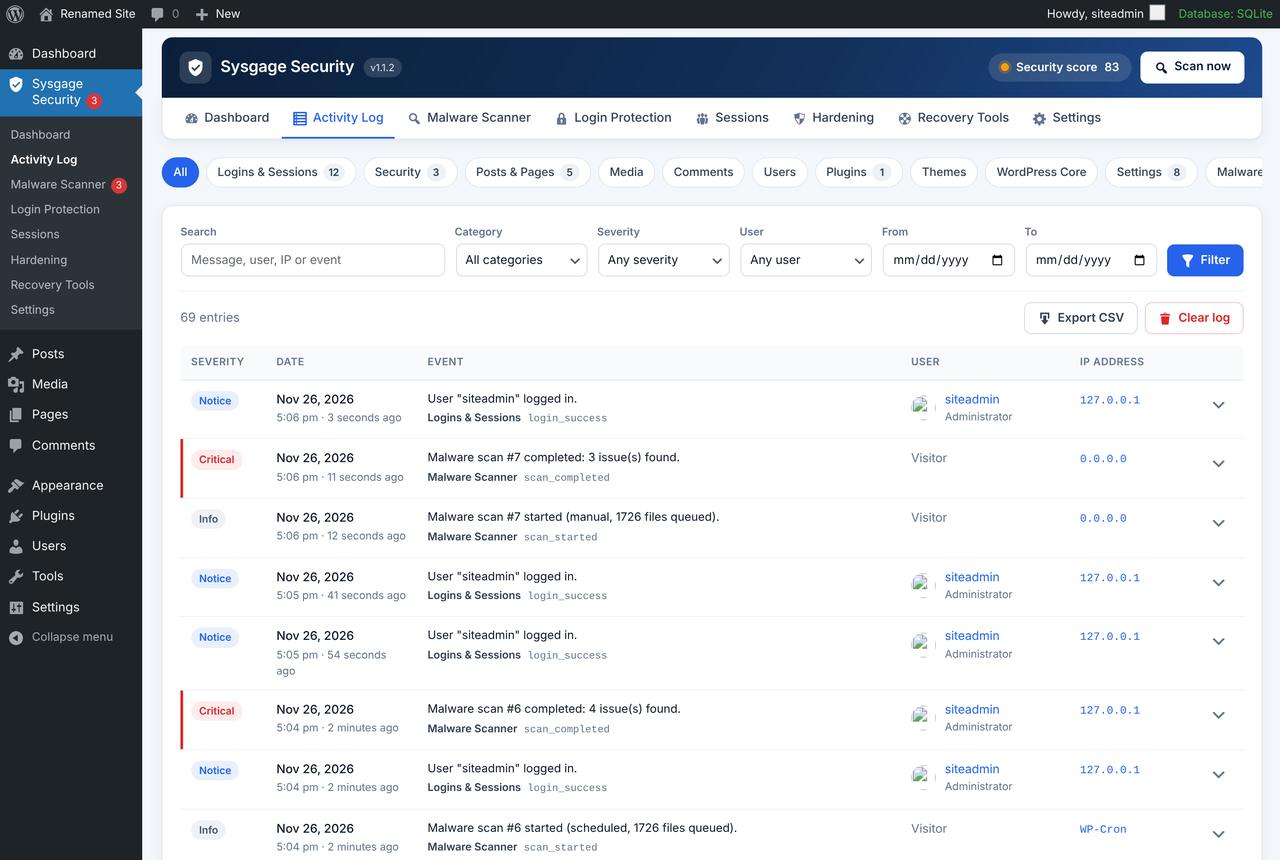
Sysgage Security: Activity log with filters and search
Activity log with filters and search
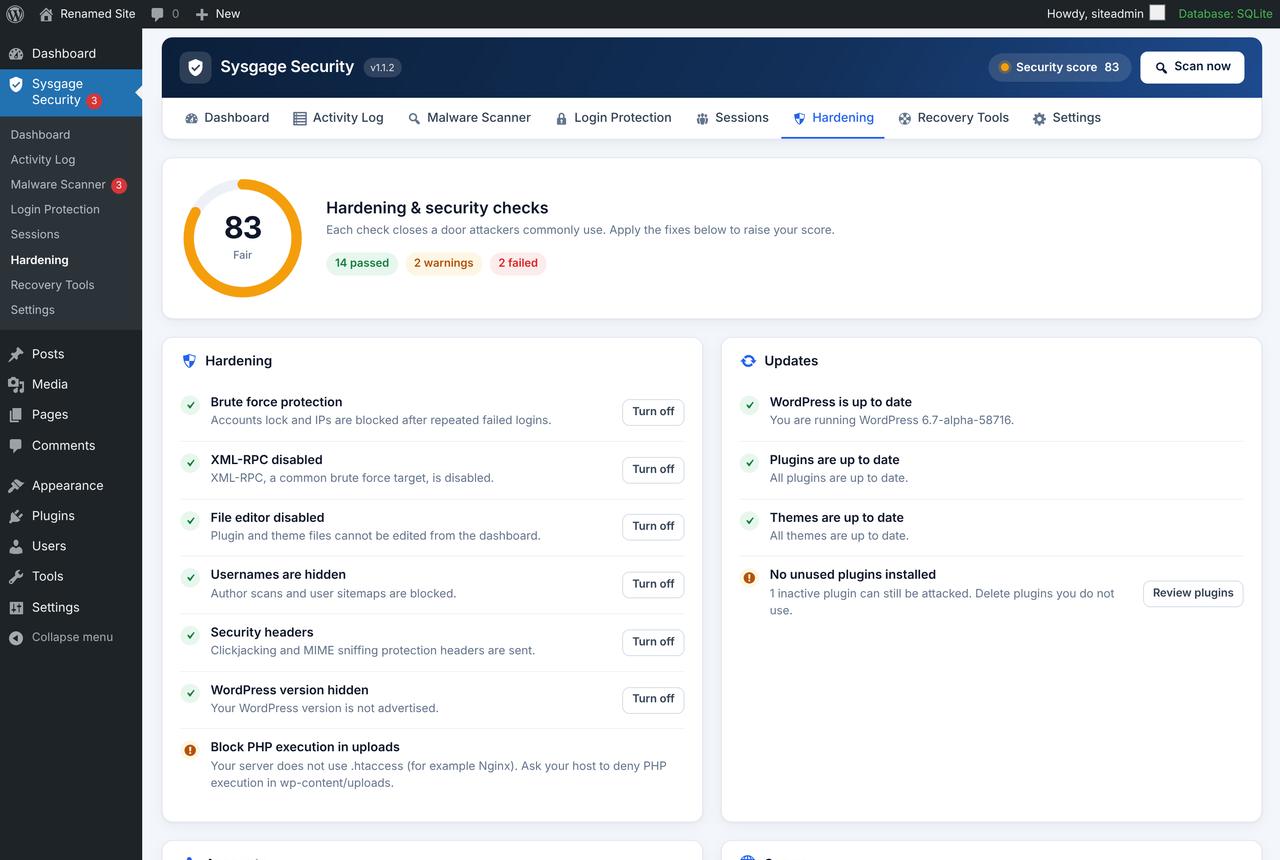
Sysgage Security: Hardening checks with one-click fixes
Hardening checks with one-click fixes
Sysgage Security: Attack summary on the WordPress Dashboard
Attack summary on the WordPress Dashboard

User guide

  1. Features Everything Sysgage Security does, feature by feature.
  2. Install and first steps Version 1.1.2
  3. Read the dashboard Go to Sysgage Security → Dashboard.
  4. Set up login protection Go to Sysgage Security → Settings → Login Protection. The defaults suit most sites:
  5. Unlock a user or unblock an IP Unlock a user:
  6. Run a malware scan Scans also run automatically every day around 3 AM. To change this, go to Settings → Malware Scanner → Automatic scans.
  7. Fix threats Fix everything at once: click Fix all N threats at the top of the scanner (or in the dashboard banner) and confirm. A progress bar works through each…
  8. Undo a fix, restore or delete a file Sysgage will never quarantine or delete WordPress core files, its own files, your active theme's functions.php or an active plugin's main file.
  9. When the scanner flags something you trust You can bring a file back from the Marked safe tab at any time.
  10. Turn on automatic fixing When the nightly scan finds threats, Sysgage fixes them and emails you a summary. Every fix can still be undone from the Fixed tab. Scans you start by…
  11. After a hack: Recovery Tools Removing malware is only the first step. Attackers often keep stolen passwords, active logins or a hidden administrator account. Go to Sysgage Security → Recovery Tools and work…
  12. Raise your security score (Hardening) Go to Sysgage Security → Hardening.
  13. Use the activity log Go to Sysgage Security → Activity Log.
  14. Manage logged-in sessions Go to Sysgage Security → Sessions to see who is logged in, from which IP address and device, and when each session expires.
  15. Set up email alerts Go to Settings → Email Alerts.
  16. Sites behind Cloudflare or a load balancer Without this step, every visitor looks like it comes from the proxy, and blocking one attacker would block everyone.
  17. Update the plugin
  18. Troubleshooting The scanner says "Core checksums unavailable". Your server cannot reach api.wordpress.org. Core files are then checked with signatures only. Ask your host to allow outbound HTTPS to wordpress.org.
  19. Changelog What changed in each version of Sysgage Security.