Skip to content
  • LocationSan Pedro, Laguna, Philippines
  • Office hoursMon–Fri, 8:00 AM – 5:00 PM PHT (UTC+8)

Sysgage SEO

Search titles, descriptions, schema, sitemaps, redirects and a readability and keyphrase score for every page.

Version 1.1.0Updated November 26, 2026

Version 1.1.0

Sysgage SEO includes the premium features of the leading WordPress SEO plugins in one package, with no add-ons to buy. Every feature can be switched on or off in the Feature Manager, and features that are off load no code.

Screenshots

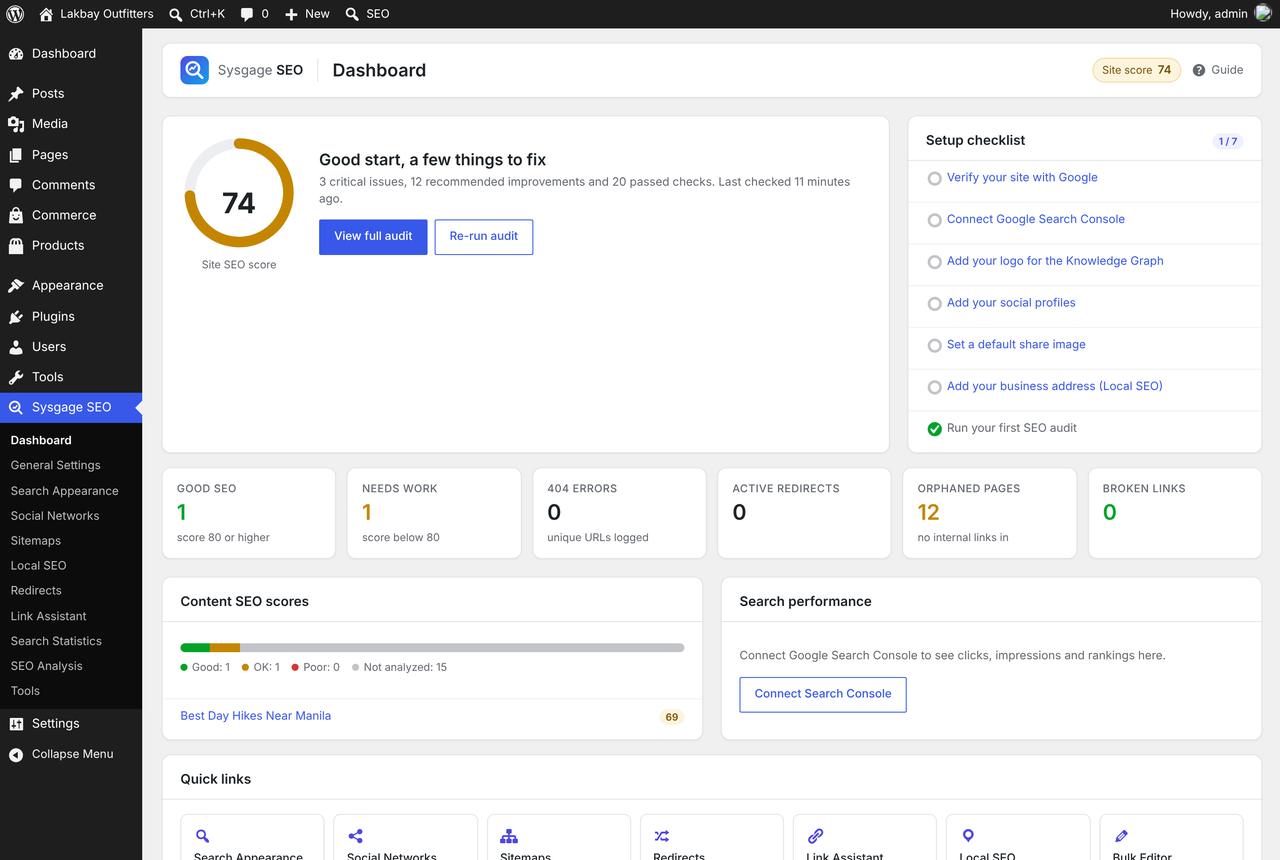
Sysgage SEO: SEO dashboard
SEO dashboard
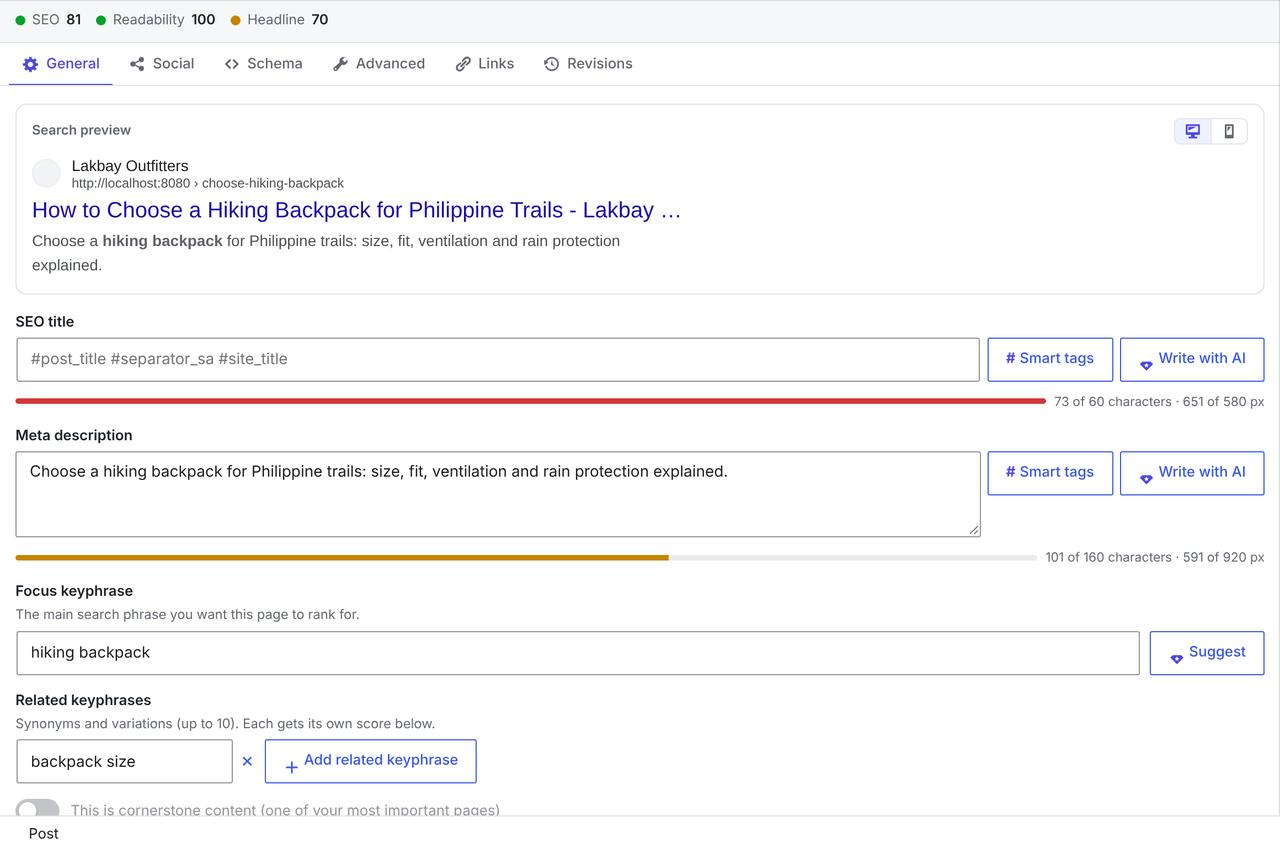
Sysgage SEO: Page analysis in the editor
Page analysis in the editor
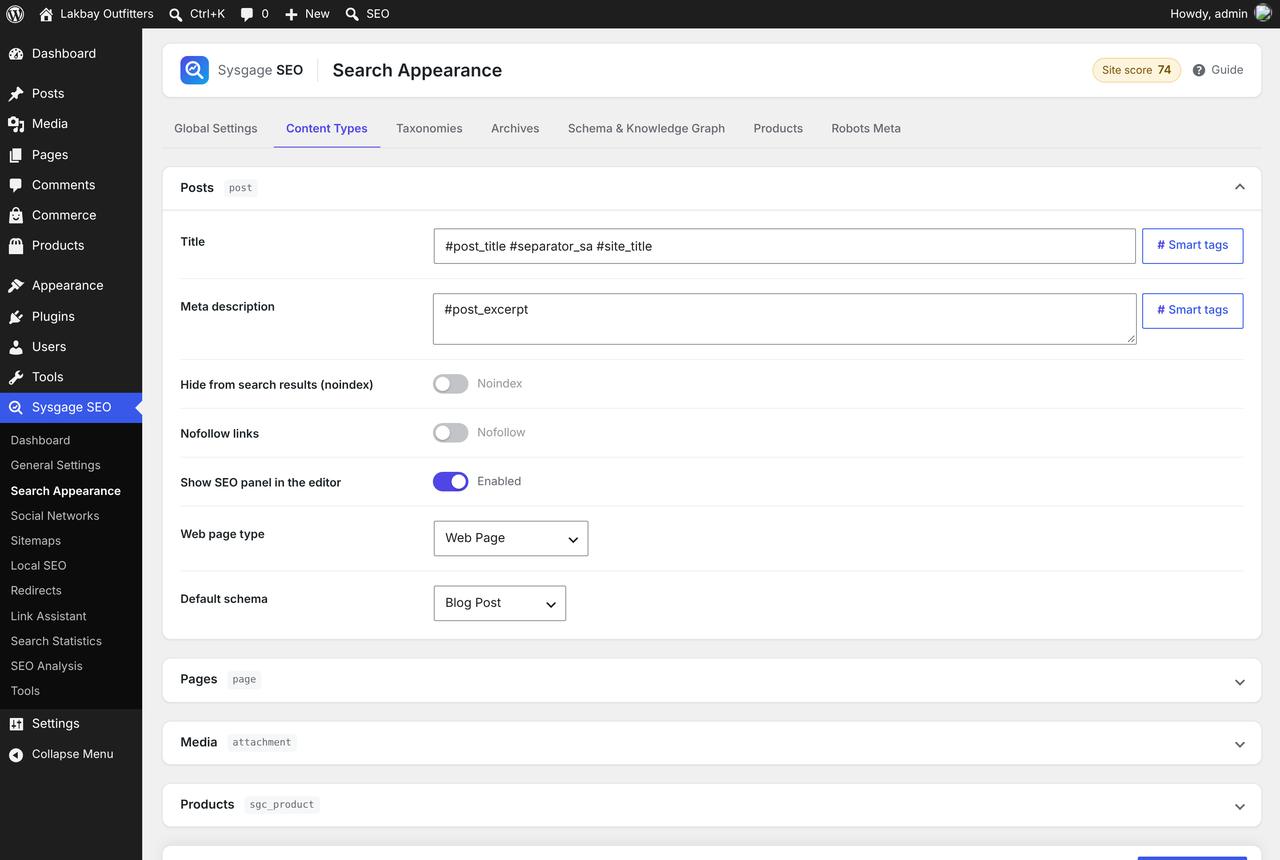
Sysgage SEO: Search appearance settings
Search appearance settings
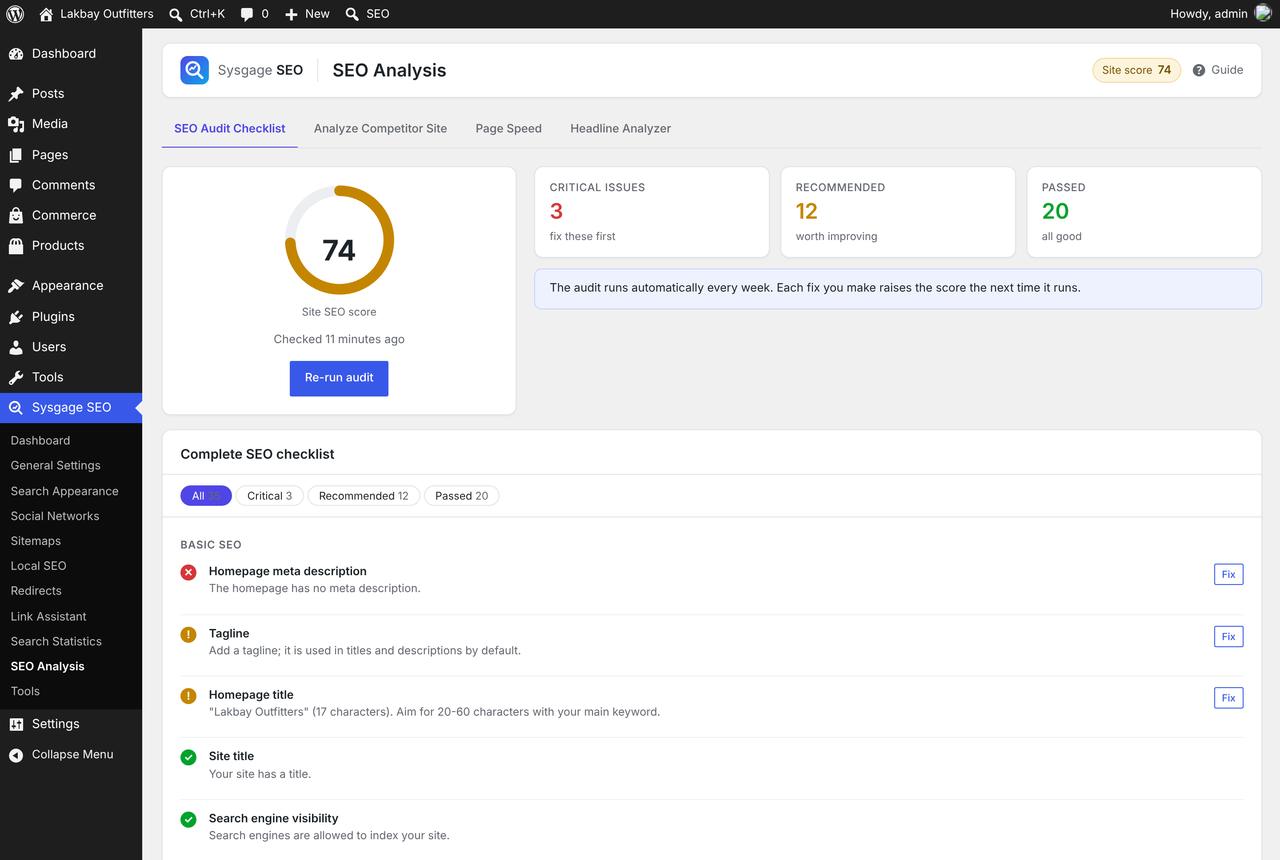
Sysgage SEO: Site-wide SEO audit
Site-wide SEO audit
Sysgage SEO: Redirects and 404 log
Redirects and 404 log
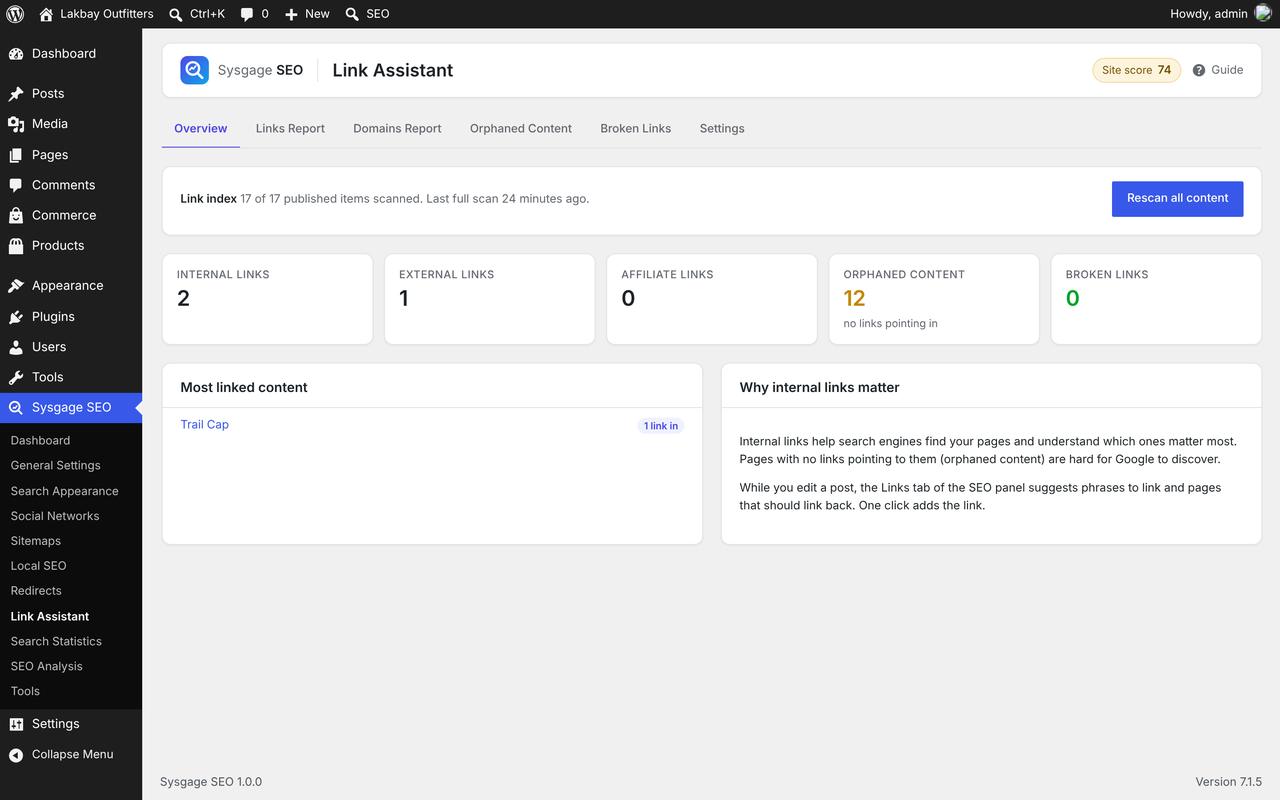
Sysgage SEO: Link Assistant
Link Assistant
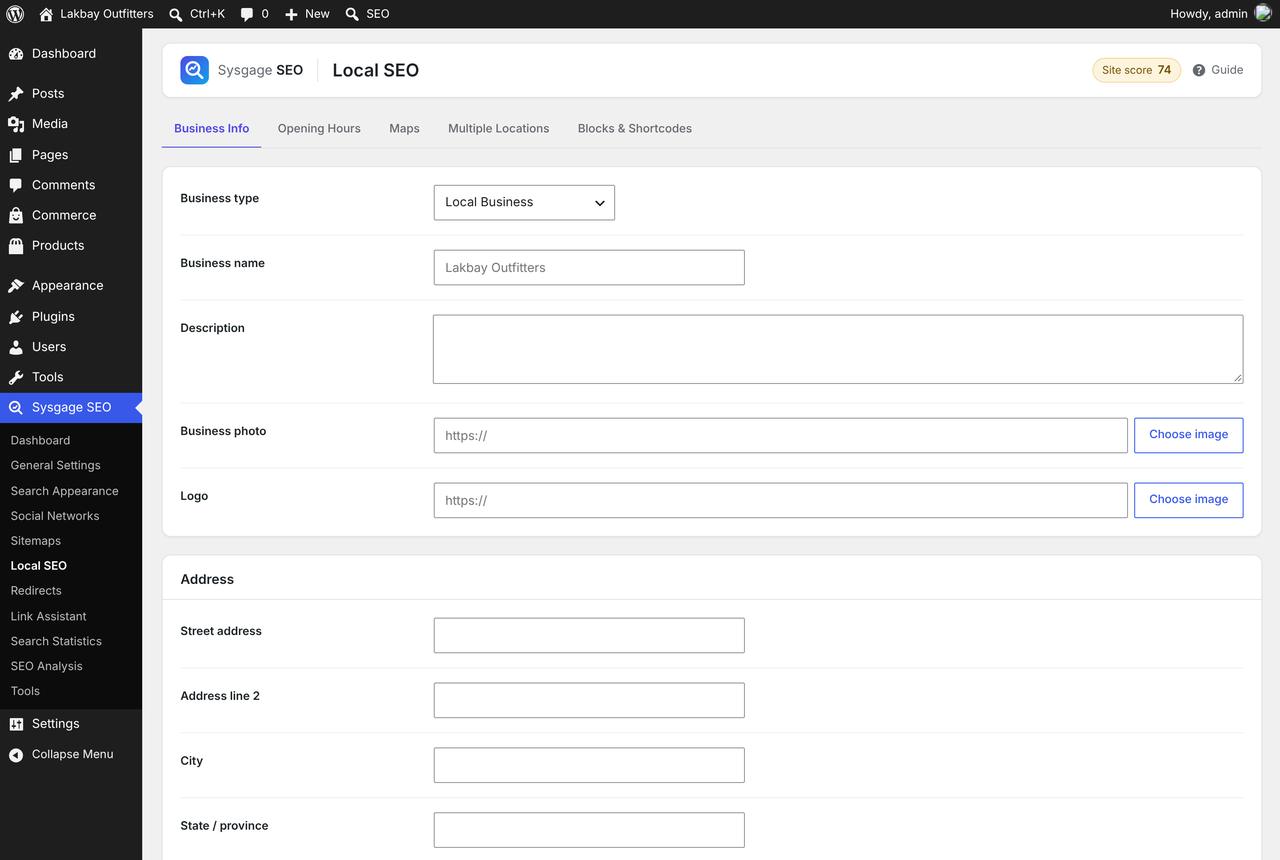
Sysgage SEO: Local business details
Local business details
Sysgage SEO: XML sitemaps
XML sitemaps

User guide

  1. Features Everything Sysgage SEO does, feature by feature.
  2. Requirements Version 1.1.0
  3. Install and activate On activation, Sysgage SEO creates its database tables, sets up sensible defaults and takes you to the setup wizard. Your site keeps working normally the whole time.
  4. The setup wizard The wizard takes about three minutes. You can skip it and come back later from Sysgage SEO → General Settings → Run the setup wizard.
  5. Find your way around Everything lives under Sysgage SEO in the admin menu:
  6. Optimize a post, page or product Open any post, page or product for editing. You'll find Sysgage SEO in two places:
  7. Smart tags Smart tags are placeholders that fill in automatically. Type # in any title or description field or click # Smart tags to choose from the list.
  8. General Settings Turn whole features on or off: Sitemaps, Schema, Social, Redirects, Breadcrumbs, Local SEO, Link Assistant, Search Statistics, IndexNow, Image SEO, RSS content, Author SEO, SEO revisions, AI writer…
  9. Search Appearance One card per post type (Posts, Pages, Products and any custom types). For each:
  10. Social Networks Add the URLs of your Facebook, X, Instagram, LinkedIn, YouTube, Pinterest, TikTok and other profiles. They're added to your Organization or Person schema as sameAs.
  11. Sitemaps Your sitemap is at https://yoursite.com/sitemap.xml. Sysgage SEO replaces the WordPress default sitemap and redirects the old address.
  12. Local SEO For shops, offices and service businesses that serve customers in a place.
  13. Redirects and 404 logs Send visitors and search engines from an old URL to a new one.
  14. Link Assistant Internal links help search engines find and rank your pages.
  15. Search Statistics (Google Search Console) See your Google clicks, impressions, average position and keywords inside WordPress.
  16. SEO Analysis
  17. Tools
  18. Product SEO for online stores Sysgage SEO detects Sysgage Commerce and WooCommerce automatically.
  19. Blocks and shortcodes Find these blocks in the block inserter under Sysgage SEO.
  20. Access control for your team Go to General Settings → Access Control. For each role (Editor, Author, Contributor, Shop Manager and others), tick what they can do:
  21. Moving from another SEO plugin Your titles, descriptions, focus keyphrases, social data, robots settings, canonical URLs and primary categories are all imported. Existing Sysgage SEO data is only overwritten if you tick that…
  22. Troubleshooting and FAQ My sitemap shows "page not found". Go to Settings → Permalinks and click Save Changes once. This refreshes WordPress's URL rules.
  23. For developers WP-CLI
  24. Changelog What changed in each version of Sysgage SEO.