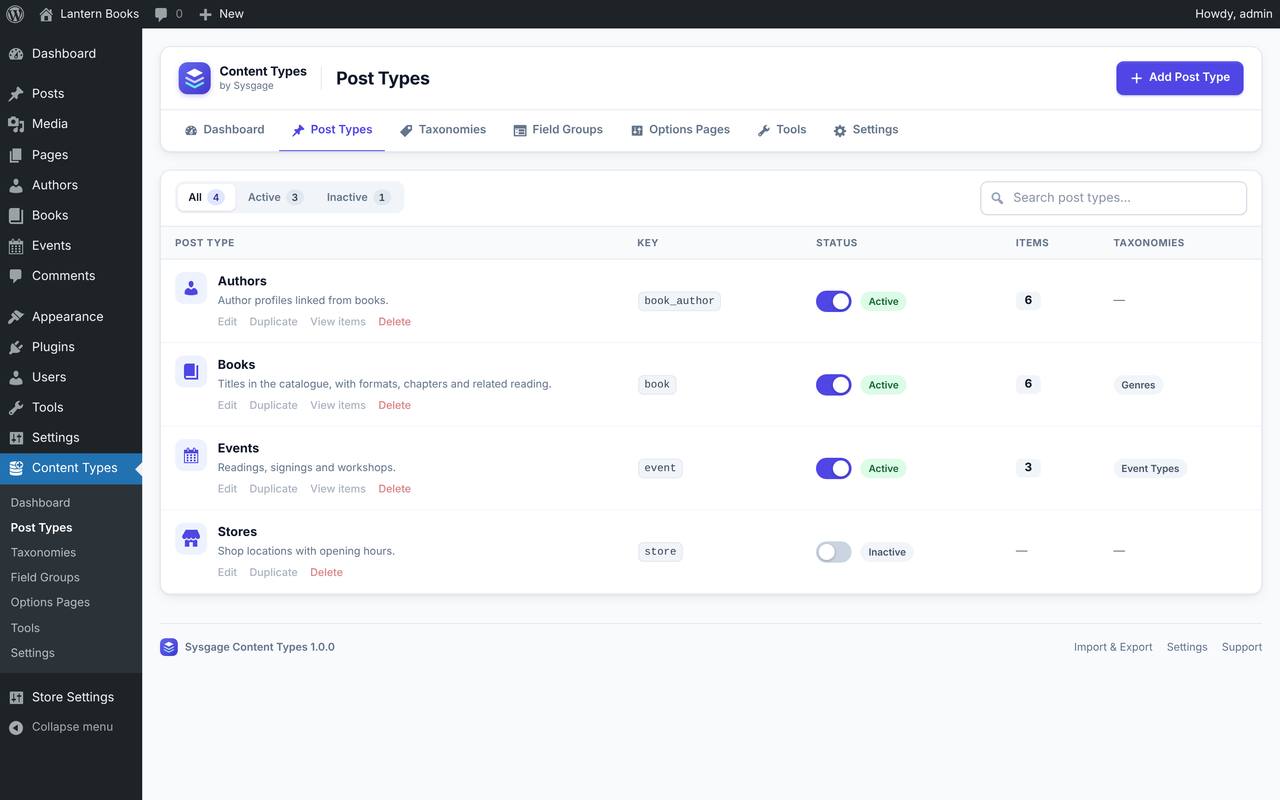
Example: a Books post type for a bookshop.
- Go to Content Types > Post Types and click Add Post Type.
- Under Quick start, pick a preset or stay on Blank: | Preset | What it sets up | Suggested fields | |—|—|—| | Blank | Nothing, start from scratch | | | Portfolio | Projects, with an archive | Client, Project URL, Completion Date, Gallery | | Events | Events, with an archive | Starts, Ends, Venue, Address, Ticket URL, Price | | Testimonials | Testimonials that are not public pages | Author Name, Role / Company, Rating, Photo | | Team Members | Team members at
/team/| Job Title, Email, Phone, Social Links (repeater) | | Products / Services | Services, with an archive | Price, Price Note, Features (repeater), Call to Action | | FAQ | FAQs: the title is the question, the content the answer | Short Answer, Featured Question, Related Questions | With a preset, a Suggested fields card appears on the right. Leave Also create a field group on and a matching field group ("Event Details", for example) is created and assigned to the new post type when you save. - On the Basic tab, type the Plural Label (Books) and the Singular Label (Book). The Post Type Key (
book) fills in by itself and is checked as you type: "Looks good · 4/20 characters" means it is free and valid. - Work through the other tabs as needed (see below).
- Click Create Post Type. The new menu item appears straight away.
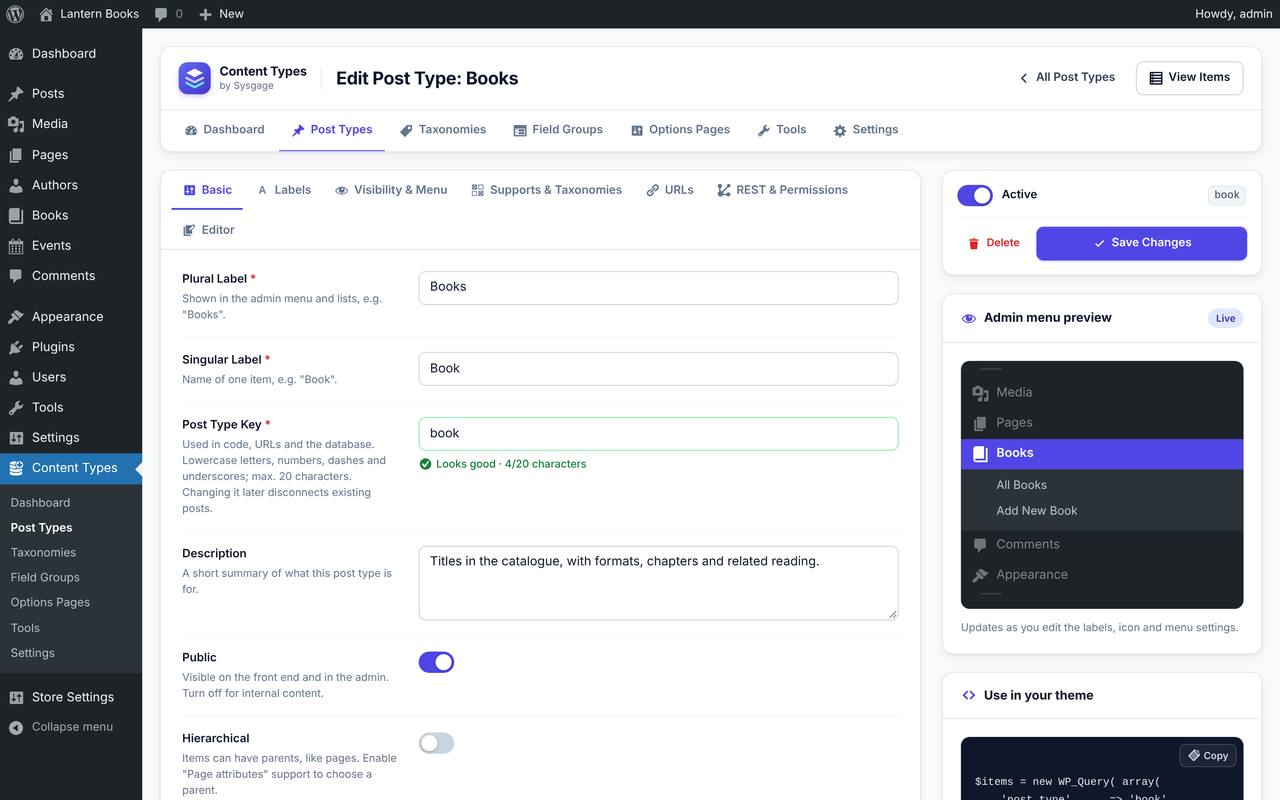
The Admin menu preview card on the right shows what the menu item will look like as you change the labels, icon and menu settings. After the first save, the Use in your theme card below it has a copy-ready code snippet and the template file names your theme can use.
The editor tabs:
| Tab | What you set |
|---|---|
| Basic | Plural and singular labels, the key, a description, Public (turn off for internal content) and Hierarchical (items can have parents, like pages) |
| Labels | All the texts WordPress shows for this post type ("Add New Book", "Search Books" and so on). They are generated for you. Regenerate from singular/plural refreshes them after you rename the post type. |
| Visibility & Menu | Show in Admin, Show in Admin Menu, Menu Location (its own top-level item, or under another menu), Menu Position, Menu Icon, the admin bar, navigation menus, Publicly Queryable and Exclude From Search |
| Supports & Taxonomies | Cards for the parts of the edit screen: Title, Editor, Author, Featured image, Excerpt, Trackbacks, Custom fields, Comments, Revisions, Page attributes, Post formats. Below them, tick the Taxonomies this post type uses (or + Create a new taxonomy). |
| URLs | How addresses are built (see below) |
| REST & Permissions | Show in REST API, the REST base, custom capabilities, Can Export and Delete With User |
| Editor | Title Placeholder (such as "Book title"), a Block Template for new items, Template Lock and an advanced meta box callback |
Icons. On Visibility & Menu, click Choose icon next to Menu Icon. Search the Dashicons (try "book" or "calendar") and click one, or paste an image URL or SVG data URI and click Use.
URLs and permalinks. On the URLs tab:
- Permalink Rewrite: Post type key (
/book/the-quiet-orchard/), Custom slug (type your own URL Slug, such aslibrary/books) or No permalink. - Archive: turn on to get a page listing all items, such as
/book/. Use Archive Slug to give it a different address. - Front URL Prefix, Feed URL, Pagination and Query Variable are for special cases; the defaults suit most sites.
Addresses start working as soon as you save, because the plugin refreshes WordPress's address rules for you. If Settings > Permalinks is set to "Plain", items use ?post_type=… links instead (the System status card warns about this).
The block editor needs REST. Keep Show in REST API on (the default) if you want the block editor for this post type. With it off, WordPress uses the classic editor.
Good to know:
- Changing the Post Type Key later disconnects the existing posts, which keep the old key in the database. Choose it carefully.
- Turning a post type off with its Active toggle, or deleting it, never deletes its posts. They come back when a post type with the same key is active again.
- Duplicate (on the Post Types list) makes an inactive copy, handy as a starting point.
- The list shows each post type's key, status, number of items and taxonomies, with Edit, Duplicate, View items and Delete actions.